
Disclosure: this post has Amazon links to the Starlink Mini and the accessories I got for it. As an Amazon Associate I earn from qualifying purchases. The Amazon links are paid affiliate links — they support this site at no cost to you. See our full affiliate disclosure.
Most people, when their internet goes out, grab their phone. The problem is that everybody else does the same thing — and then my phone doesn’t work either. That’s the whole reason I bought a Starlink Mini. It was supposed to be a backup for the house. It turned into the one piece of gear that’s come on a cruise, ridden in my Tesla, and gotten my homework done no matter where we were.
The short version: A Starlink Mini worked in our room on an Alaska cruise, with two conditions: you must have the Maritime package, and it only works in your room, not around the ship. But check your cruise line’s prohibited-items list before you pack one. Carnival’s list names satellite dishes and routers, and other lines word theirs differently. Off the ship, it rides in my Tesla and backs up our home internet.
Why I bought a Starlink Mini
We’ve had a lot of internet problems at home. When the service drops, mobile is the obvious fallback, and it fails for the obvious reason: everyone in the area is on it at once. I wanted a backup that didn’t depend on the neighborhood. The Mini has proven to be a really great purchase.
Can you bring a Starlink Mini on a cruise ship? Check first
Before the cruise part of this story, here is the first thing I’d tell a friend: check your cruise line’s prohibited-items list. The lines do not all say the same thing. Carnival’s list names satellite dishes, routers and internet-networking equipment. Royal Caribbean’s prohibits electronic equipment that isn’t for personal grooming, and names cybersecurity devices. Norwegian’s names satellite phones and portable modems, and says the ship can take anything it sees as a threat to ship operations. None of the three names the Starlink Mini, and policies change, so read your own line’s current list before you pack one.
Does a Starlink Mini work on a cruise ship?
When we sailed to Alaska on Norwegian Bliss, the Mini came with me. It let me work uninterrupted without needing the ship’s Wi-Fi at all. I set it up in our room and that was my office for the week. It was reliable, and I took video calls without issues.

The day the ship’s internet went out
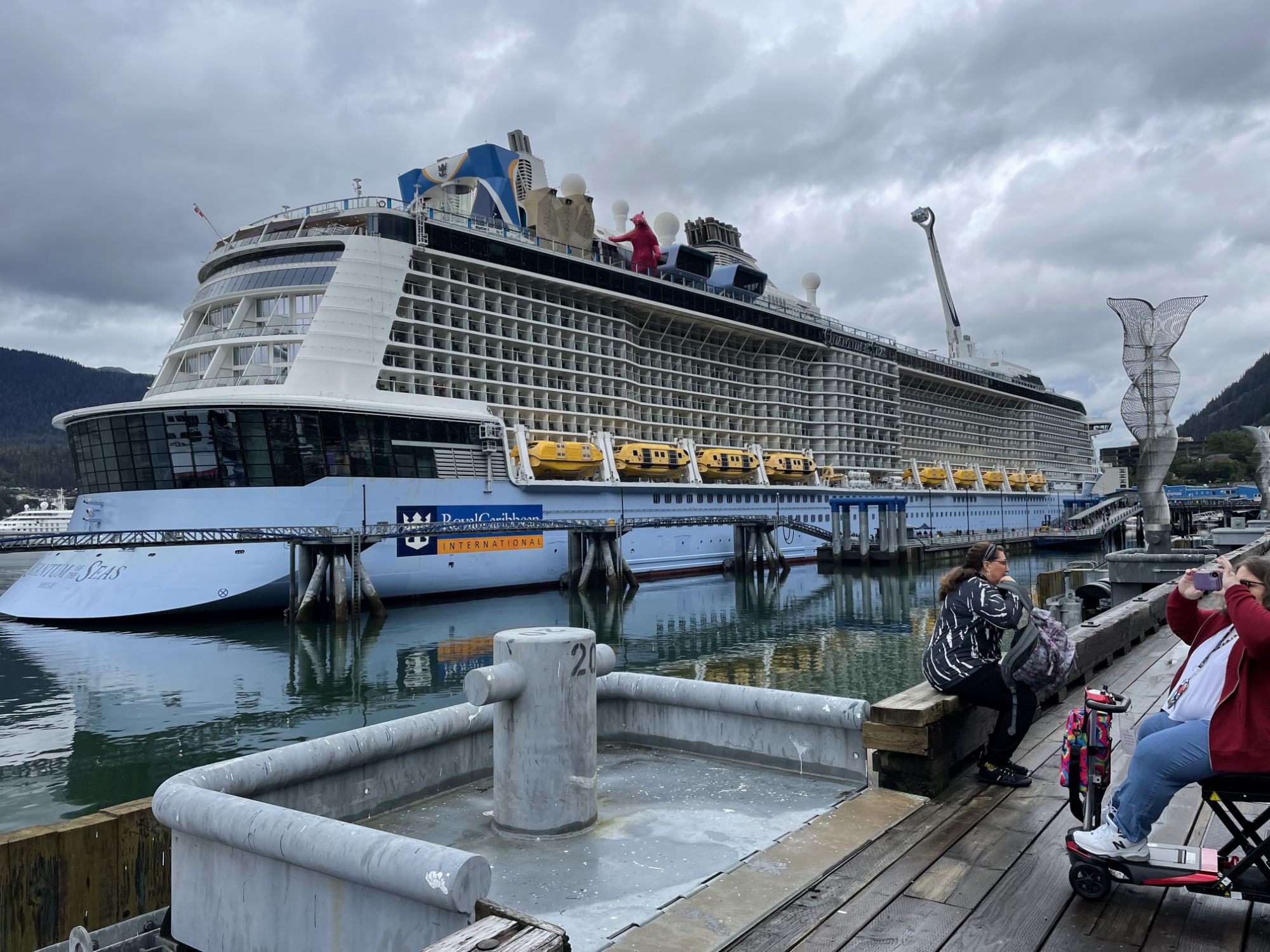
Here’s why that mattered. On the cruise before Alaska — a sea day on Quantum of the Seas, right after Cabo — the ship’s internet went out and I had a full day where I could not work. The ship credited that day’s charge without my asking, which I appreciated, but the work didn’t do itself. If you work full time while you travel, one lost day is the whole argument. So on the next cruise, the Mini came with me, and it proved to be worth its weight.
Two things to know before you take a Starlink Mini on a cruise
1. You must have the Maritime package. Without it, it’s not going to work at sea. It is a little bit expensive. For us, it was still cheaper than using the ship’s Wi-Fi.
2. It only works in your room. It’s not going to work on the entire ship — it’s primarily for room use. For work or schoolwork, that’s fine. If you’re hoping to scroll from a lounger, it’s not that unless you are on your own patio.

On the road, and in the Tesla
The other place it earned its keep was traveling. With the Mini, I had access regardless of where I was. I can plug it into my Tesla and have internet regardless of location. As some of you know, I’m working on a master’s degree, and there’s always homework due. The Mini meant I could get it done no matter where we were.
The speed surprise
The thing that surprised me most is the speed. We have some of the fastest internet available in our neighborhood, and even then there were times the Mini actually outdid our regular internet. For a backup, that’s huge. It kept me connected and always able to work.
What I’d tell a friend
- Check your cruise line’s rules first. Carnival’s list names satellite dishes and routers, and other lines word theirs differently. Read the current list before you pack it.
- If you work when you travel, this is the backup. Not your phone — the phone is what fails when everybody’s on it.
- On a ship, plan for the room. Get the Maritime package, and know it’s a cabin thing, not a pool-deck thing.
- Don’t just think “cruise.” It rides in the car. It covers the house when the service drops. One piece of gear, three jobs.
Would I buy it again? Yes. A little box that keeps me connected at sea, on the road, and at home — definitely worth the money.
Where to get a Starlink Mini, and the accessories I got for mine
I bought my Starlink Mini at Home Depot because I needed it immediately. If you’d rather order one, here is the Starlink Mini kit on Amazon (paid link). Check who the seller is before you order.
These are the accessories I got for mine on Amazon:
- Hard case for the Starlink Mini (paid link)
- Suction-cup mount for a window or sunroof (paid link)
- Silicone protective cover (paid link)
- 20 ft power and ethernet cable (paid link)
- Car power adapter with a voltage display (paid link)
The Mini is also on my Shop My Videos page, with the rest of what I use on the road.
More travel-smart reading: Advice to first time cruisers · Cruise packing list: 12 items that survived 7 cruises
Follow along: Instagram · TikTok · YouTube
Your turn: if you’ve taken Starlink to sea, or you’re thinking about it, tell me in the comments. I’ll answer what I can.
At a glance
- What it is: a Starlink Mini, bought as a backup for our home internet
- Before you pack it: check your cruise line’s prohibited-items list; Carnival’s names satellite dishes and routers, and other lines word theirs differently
- Ship and sailing: Norwegian Bliss, Alaska, late September 2026
- What it needs at sea: the Maritime package; without it, it’s not going to work at sea
- Where it worked on board: our room only, not around the ship
- What it handled: full work days and video calls from the room
- Off the ship: plugs into my Tesla on the road, and covers the house when the service drops
- Where I bought mine: Home Depot, because I needed it immediately
Questions I get about this
Can you bring a Starlink Mini on a cruise ship?
Check your cruise line’s prohibited-items list first, because the lines word it differently. Carnival’s list names satellite dishes, routers and internet-networking equipment. Royal Caribbean’s prohibits electronic equipment that isn’t for personal grooming and names cybersecurity devices. Norwegian’s names satellite phones and portable modems. None of the three names the Starlink Mini, and policies change, so read the current list before you pack one.
Does a Starlink Mini work at sea?
It did for us, in our room, with the Maritime package. On our Alaska sailing on Norwegian Bliss it let me work uninterrupted without the ship’s Wi-Fi, and it was reliable enough for video calls. Without the Maritime package, it’s not going to work at sea.
Can you use a Starlink Mini anywhere on the ship?
No. For us it was the room only. That’s fine for work or schoolwork, but it’s not for scrolling from a lounger by the pool.
Is a Starlink Mini fast enough to work on?
For me, yes. I took video calls from our room at sea without issues. At home, where we have some of the fastest internet available in our neighborhood, there were times the Mini actually outdid our regular internet.
Can you use a Starlink Mini in a car?
Yes. I can plug it into my Tesla and have internet regardless of location. That’s how homework for my master’s degree got done no matter where we were.
Is a Starlink Mini a good backup for home internet?
That’s why I bought it. When home internet goes out, most people grab their phone, everybody’s on mobile at once, and then my phone doesn’t work either. The Mini doesn’t depend on the neighborhood, and it has kept me connected and able to work when our service dropped.






Leave a Reply